OpticSim.jl
OpticSim.jl is a Julia package for geometric optics (ray tracing) simulation and optimization of complex optical systems.
It is designed to allow optical engineers to create optical systems procedurally and then to simulate them. Unlike Zemax, Code V, or other interactive optical design systems OpticSim.jl has limited support for interactivity.
A large variety of surface types are supported, and these can be composed into complex 3D objects through the use of constructive solid geometry (CSG). A complete catalog of optical materials is provided through the complementary AGFFileReader package.
Installation
Run this example to check that everything installed properly:
using OpticSim, AGFFileReader
SphericalLens(AGFFileReader.Examples_N_BK7, 0.0, 10.0, 10.0, 5.0, 5.0)
CSGGenerator{Float64}(OpticSim.var"#92#93"{CSGGenerator{Float64}, CSGGenerator{Float64}}(CSGGenerator{Float64}(OpticSim.var"#92#93"{CSGGenerator{Float64}, CSGGenerator{Float64}}(CSGGenerator{Float64}(OpticSim.var"#leaf##0#leaf##1"{Sphere{Float64, 3}, OpticSim.Geometry.Transform{Float64}}(Sphere{Float64, 3}(10.0, FresnelInterface(Glass, AGFFileReader.Air, 0.0, 1.0, ReflectOrTransmit)), OpticSim.Geometry.Transform{Float64}([1.0 0.0 0.0 0.0; 0.0 1.0 0.0 0.0; 0.0 0.0 1.0 -10.0; 0.0 0.0 0.0 1.0]))), CSGGenerator{Float64}(OpticSim.var"#leaf##0#leaf##1"{SphericalCap{Float64}, OpticSim.Geometry.Transform{Float64}}(SphericalCap{Float64}(10.0, [0.0, 0.0, -5.0], [0.0, 0.0, -1.0], 0.5864306286700948, FresnelInterface(Glass, AGFFileReader.Air, 0.0, 1.0, ReflectOrTransmit)), OpticSim.Geometry.Transform{Float64}([1.0 0.0 0.0 0.0; 0.0 1.0 0.0 0.0; 0.0 0.0 1.0 0.0; 0.0 0.0 0.0 1.0]))))), CSGGenerator{Float64}(OpticSim.var"#leaf##0#leaf##1"{Cylinder{Float64, 3}, OpticSim.Geometry.Transform{Float64}}(Cylinder{Float64}(5.0, FresnelInterface(Glass, AGFFileReader.Air, 0.0, 0.0, ReflectOrTransmit)), OpticSim.Geometry.Transform{Float64}([1.0 0.0 0.0 0.0; 0.0 1.0 0.0 0.0; 0.0 0.0 1.0 -2.5; 0.0 0.0 0.0 1.0])))))To check that visualization works, load a Makie backend and draw the lens:
using OpticSim, AGFFileReader
import CairoMakie # or GLMakie for an interactive window
Vis.draw(SphericalLens(AGFFileReader.Examples_N_BK7, 0.0, 10.0, 10.0, 5.0, 5.0))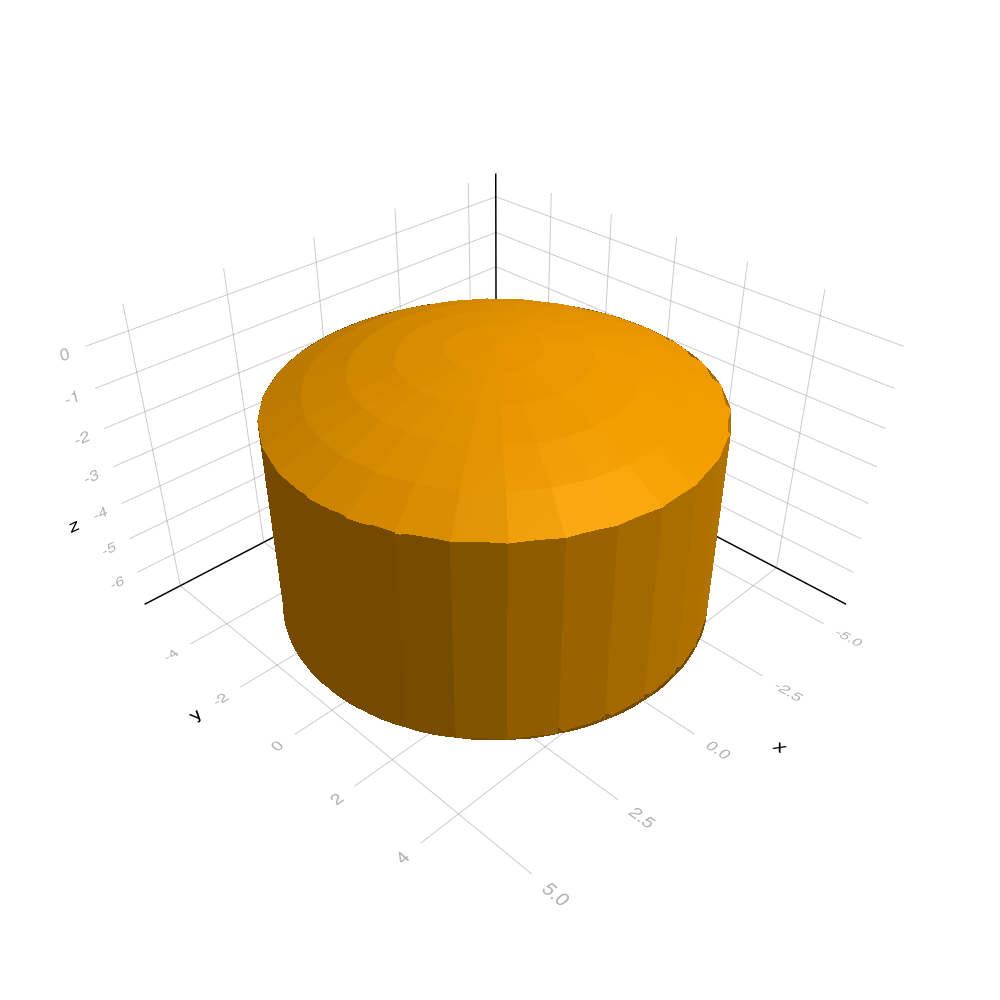
AGFFileReader includes these 4 glass types to get you started
Examples_N_BK7
Examples_N_SF14
Examples_N_SF2
Examples_N_SK16
For serious work you will need more glass types. The AGFFileReader package has a function AGFFileReader.initialize_AGFFileReader() to make a local database of glass types generated from publicly available glass catalogs on the web. You must call this function before you execute your code:
module YourModule
using OpticSim
import AGFFileReader

AGFFileReader.initialize_AGFFileReader()

#your code goes here

end #YourModule
The first call to AGFFileReader.initialize_AGFFileReader() will search for publicly available glass files on the web and install them into a database locally on your machine. This may take a while. Subsequent calls will detect the local database and skip the download step. See the documentation of AGFFileReader for more information.
In previous versions of OpticSim the glass catalog download, visualization, and repeating structures code was included in the OpticSim package. This caused excessive load times.
The glass catalog code and repeating structures code have been broken out into separate packages: AGFFileReader and OpticSimRepeatingStructures. The repeating structures package is not yet working.
Visualization is back in OpticSim as a package extension, so it costs nothing at load time unless you use it. Load a Makie backend to enable the Vis drawing functions:
using OpticSim
using GLMakie    # interactive window; or `using CairoMakie` for static images without a GPU

Vis.drawtracerays(system, trackallrays = true, test = true)
Both Makie and OpticSim export some of the same names (e.g. Sphere, translation). If you need OpticSim's versions unqualified, use import GLMakie instead of using GLMakie. See Visualization for more.